SWG UE5+

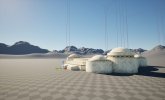
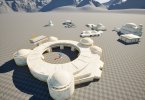
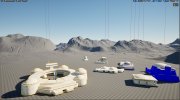
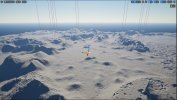
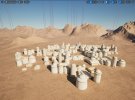
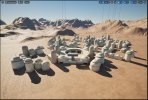
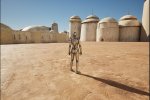
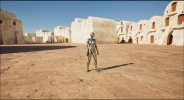
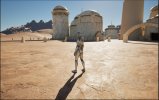
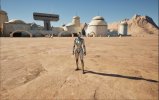
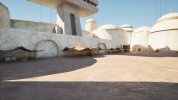
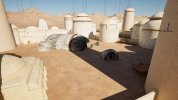
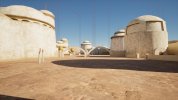
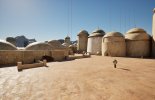
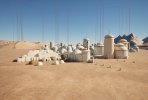
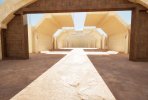
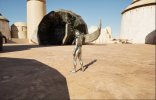
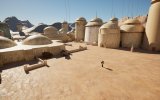
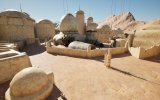
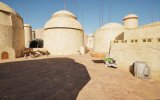
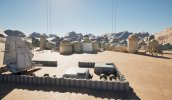
Hello all, I'm new to the forums and wanted to share my personal project. I have started a SWG port of tatooine to UE5.4.4. The goal is to get as close as possible to the original terrain and building placement. This is what I have created so far...

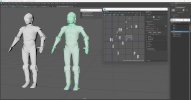
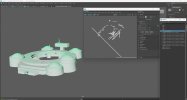
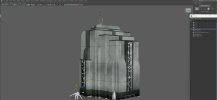
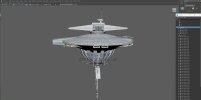
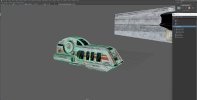
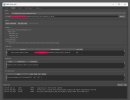
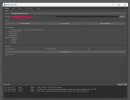
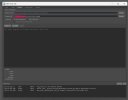
- Maya .msh importer with working uv's correct. Tested importing a starport with interior and uvs correctly for exporting back out to UE
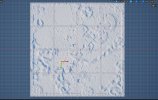
- very accurate r16 heightmap for world terrain. Imported and working in UE5.4

my next step is to get the starports imported to ue5 correctly with textures and at the correct scale, then get the rest of the static cities imported in their correct locations.

More to come!
 

Attachments

  • L1 copy.jpg
    L1 copy.jpg
    413.4 KB · Views: 64
  • SWG_Importer.jpg
    SWG_Importer.jpg
    319.2 KB · Views: 59
  • SWG_Importer2.jpg
    SWG_Importer2.jpg
    248 KB · Views: 53
  • SWG_Importer3.jpg
    SWG_Importer3.jpg
    184.2 KB · Views: 59
  • SWG_Importer4.jpg
    SWG_Importer4.jpg
    212.5 KB · Views: 63
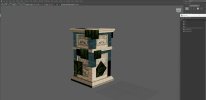
more work on the maya utils. .msh importer now imports textures correctly and the .mgn importer only needs to have textures supported added. You can see everything imports at correct scale. So once the mgn importer has texture support added the maya utils are done.

Next step is to get starports imported to UE5 now in the correct locations.
 

Attachments

  • MshImporter5.jpg
    MshImporter5.jpg
    174.8 KB · Views: 30
  • MshImporter4.jpg
    MshImporter4.jpg
    403.7 KB · Views: 29
  • MshImporter3.jpg
    MshImporter3.jpg
    211.5 KB · Views: 30
  • MshImporter2.jpg
    MshImporter2.jpg
    211.5 KB · Views: 32
  • MshImporter.jpg
    MshImporter.jpg
    272.6 KB · Views: 32
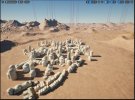
Quick building test, dropping in Mos Espa Starport. Textures are working and building scale is correct, location is correct. Now for the rest of the city...
 

Attachments

  • ScreenShot00004 copy.jpg
    ScreenShot00004 copy.jpg
    182.6 KB · Views: 55
Nice work, if you need any help with extracting/converting meshs and textures, shout out. Blender is my weapon of choice for SWGEMU and UE5 work.
 
awesome thank you. I have made a Maya importer since I use that, so I believe that makes the first Maya SWG Importer? I also have a script that batch converts all the meshes to dxf and imports all the meshes into UE in one shot.

Right now tweaking the heightmap and getting buildings placed correctly is the challenge. I have tools to import and place buildings at their original location, it is just a bit of process tweaking the terrain and getting them aligned to the ground while dialing in their correct position.

I think I have to install swgemu so I can get some better data and dial in the heightmap even more.
 
Now that I have a group of buildings batch importing at their correct locations, I have done a second pass on the terrain to make it more accurate to the original game. As you can see I got all high level details added, example all the actual trenches carved into the landscape. I also broke my building textures, so 1 win, 1 swing and a miss.
 

Attachments

  • TerrainUpdate.jpg
    TerrainUpdate.jpg
    315.4 KB · Views: 27
  • TerrainUpdate2.jpg
    TerrainUpdate2.jpg
    378.3 KB · Views: 27
  • TerrainUpdate3.jpg
    TerrainUpdate3.jpg
    609.2 KB · Views: 28
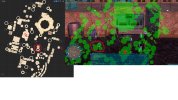
Working on batch importing the basic city w/o deco in the exact original placement. While first attempt failed, it is showing some promise as you can see in the noted comparison picture.

I need a tool to get exact top down pictures of the cities.
 

Attachments

  • orientation2.jpg
    orientation2.jpg
    601.7 KB · Views: 28
  • orientation3.jpg
    orientation3.jpg
    284.7 KB · Views: 30
  • orientation4.jpg
    orientation4.jpg
    243.3 KB · Views: 28
Well, after figuring my world was backwards, it's fixed, Mos Espa batch import for now seems done and in its original SWG placement for main buildings. Next is the deco
 

Attachments

  • ESpaTest2.jpg
    ESpaTest2.jpg
    323.9 KB · Views: 39
  • ESpaTest3.jpg
    ESpaTest3.jpg
    252.8 KB · Views: 39
  • ESpaTest4.jpg
    ESpaTest4.jpg
    316.9 KB · Views: 39
some deco placement tests. Dialing in on some placement issues to resolve with wall heights.
 

Attachments

  • decoplacement2.jpg
    decoplacement2.jpg
    300.3 KB · Views: 27
  • decoplacement.jpg
    decoplacement.jpg
    278.7 KB · Views: 26
Slowly starting to come together...getting for deco in place.
 

Attachments

  • ScreenShot00005 copy.jpg
    ScreenShot00005 copy.jpg
    275.3 KB · Views: 24
  • ScreenShot00006 copy.jpg
    ScreenShot00006 copy.jpg
    301 KB · Views: 23
  • ScreenShot00007 copy.jpg
    ScreenShot00007 copy.jpg
    288.4 KB · Views: 23
fixed deco placement so it is all now grounded accurately, nothing is sticking incorrectly too deep into the terrain. First pass deco is done, now I am getting all the rest of the city detail deco in while fixing my import/export pipeline, which has some shader issues. Once the next detail pass is done, i have a few buildings left to place, and then Mos Espa exterior is done and completely automated.
 

Attachments

  • ScreenShot00016 copy.jpg
    ScreenShot00016 copy.jpg
    232.1 KB · Views: 22
  • ScreenShot00014 copy.jpg
    ScreenShot00014 copy.jpg
    210.9 KB · Views: 19
  • ScreenShot00009 copy.jpg
    ScreenShot00009 copy.jpg
    250.3 KB · Views: 20
  • pass1.jpg
    pass1.jpg
    239.6 KB · Views: 22
Got about 90% of Mos Espa detail deco back into place, just a few more pieces to bring over...
 

Attachments

  • ScreenShot00019 copy 2.jpg
    ScreenShot00019 copy 2.jpg
    284.2 KB · Views: 38
  • ScreenShot00020 copy 2.jpg
    ScreenShot00020 copy 2.jpg
    303.3 KB · Views: 33
  • ScreenShot00021 copy 2.jpg
    ScreenShot00021 copy 2.jpg
    271.7 KB · Views: 33
  • ScreenShot00022 copy 2.jpg
    ScreenShot00022 copy 2.jpg
    268.8 KB · Views: 34
Now that I have proven my idea to work I had to take a step back and start really building out all the tools. I have been busy with a terrain tool kit, expanded maya tools and placement databases.
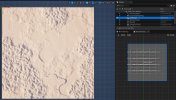
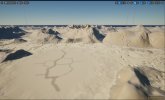
I finally finished 90% of the terrain tool kit and got textures/weightmaps working. Doesn't look at like much at a distance but it's there. As you can see the roads are perfectly in place. All that is left is the water to resolve and I can do final placement of rocks/fauna.

Here is a break down of what the Terrain Baker is.

The Terrain Baker is a source-faithful pipeline that converts Star Wars Galaxies (.trn) terrain data into Unreal Engine–ready assets with 1:1 accuracy. It evaluates the original SWG terrain system (heightfields, shader families, and affectors) and produces heightmaps, per-layer weightmaps, and texture mappings that match the game’s runtime output.

The tool preserves exact world scale, placement, and terrain composition—ensuring buildings, roads, and biome transitions line up correctly without manual fixes. It also supports parallel baking for full-planet generation and outputs data that can be imported directly into UE5 (Landscape or custom/Nanite workflows).

In short: it rebuilds an SWG planet in UE5 exactly as the original engine would render it, using the original source data as ground truth.

textures.jpg
 
Last edited:
This truly awesome! This is exactly something that I wanted to do but is beyond my current skill. I'll be interested in keeping an eye on your updates for sure.
 
Thanks Pake, I appreciate it!
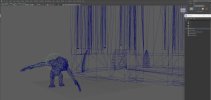
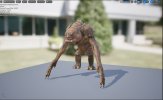
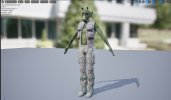
Maya to UE5 bridge is now working, color palettes are also working as they did in live. Just one little pants issue to resolve...
 

Attachments

  • rancor.jpg
    rancor.jpg
    156.1 KB · Views: 38
  • rodian.jpg
    rodian.jpg
    137.7 KB · Views: 35
This truly awesome! This is exactly something that I wanted to do but is beyond my current skill. I'll be interested in keeping an eye on your updates for sure.
Hey Pake long time!
Jangles. This looks amazing. Im also trying this out. Im using claude. Is there anything I can do to help you move along? Need the combat skills exported? Any background code you need transfer from c to c++ or any other swaps?
 
Thanks for the offer nick, I'm not there yet but when I do I'll keep the offer in mind.

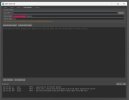
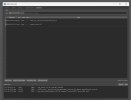
Maya tools just got the first pass UI finished. More features will be added as I finish them off. This maya tool was designed specifically for msh/mgn import/export to UE5. No msh/mgn writing for this tool, I have that in another working plugin.
 

Attachments

  • MayaUI.jpg
    MayaUI.jpg
    107.3 KB · Views: 17
  • MayaUI1.jpg
    MayaUI1.jpg
    76.8 KB · Views: 17
  • MayaUI2.jpg
    MayaUI2.jpg
    74.6 KB · Views: 10
  • MayaUI3.jpg
    MayaUI3.jpg
    79.2 KB · Views: 10
  • MayaUI4.jpg
    MayaUI4.jpg
    75.6 KB · Views: 16
Shader builder
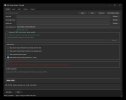
The Shader Builder is the bridge between exported SWG assets and usable UE5 materials. It reads the shader/texture information discovered during MGN/MSH export, handles .trt texture-renderer sidecar requests or preserved original fixtures, and prepares the material/texture handoff data needed for UE5 import. Its job is not to guess or invent SWG shader behavior, but to translate source-audited shader data into a controlled, repeatable material-building pipeline.
 

Attachments

  • shaders.jpg
    shaders.jpg
    123.3 KB · Views: 16
Back
Top